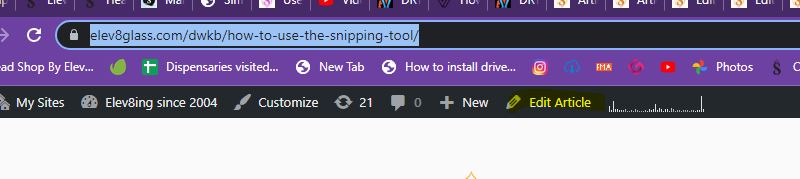
All the info needed here on the Elev8 Premier site.
How long do i heat my banger?
This all comes down to how thick your banger is and how big it is. Also, how big of a hit do you want.
You can learn more about bangers and how to use one here
Watch some How To Use A Banger Videos



How are opals formed into different shapes?
Many are water jet cut. Most all synthetic opals are made in China.
Protected: Elev8 Premier Expectations and Guide To Jobs Success
How To Use Trello For Elev8 – Production, repairs, customer service and sales
Trello is an amazing tool we use to keep track of jobs. Jobs can be tracking a product, and order, new art or many others things.
Trello is our Elev8 Home of communication for things that need tracking and accountability
- Log into Trello
- You will go to the board that is for your job. Once in you will see lists of cand cards. The inbox is what needs attention
- You may also see template lists. This is so you can easily make a new card for a project or job.
- Watch this video to learn more
- When you get a card in your trello board inbox, you will need to follow the checklist for the card. Do the tasks and if you have any questions, ask admin.
- To make a comment to another staff member, you will use the @ and their department. You can see then here
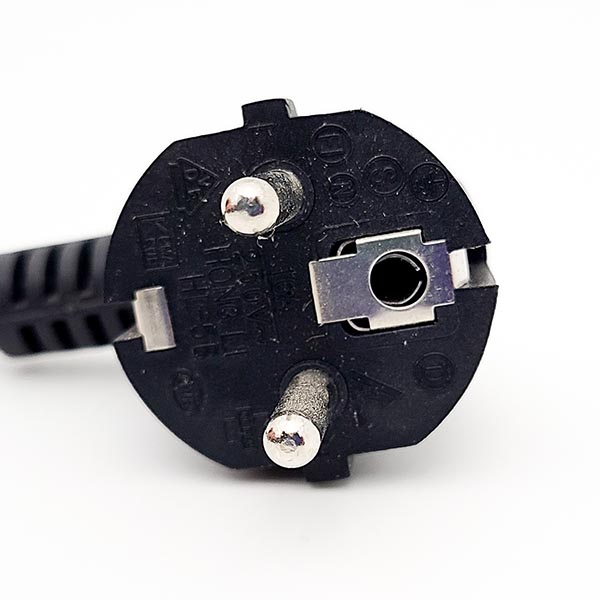
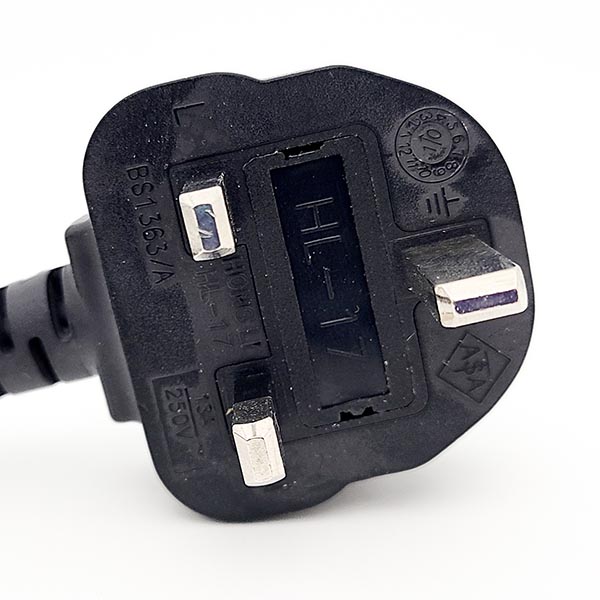
What power or electrical cords do the Silver Surfer, Super and Da Buddha come in
- Cord Types for Elev8 Vaporizers
- US
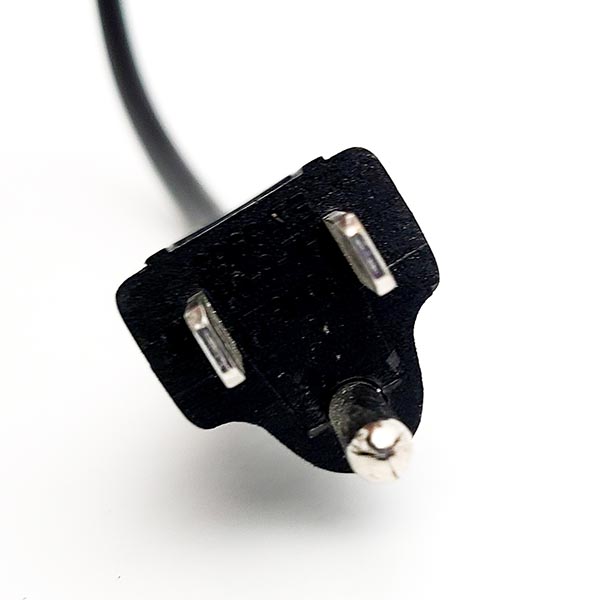
- Australian
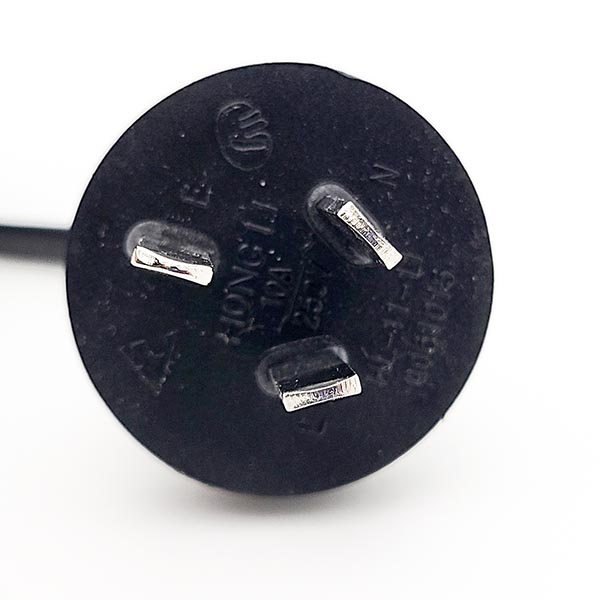
- Israel
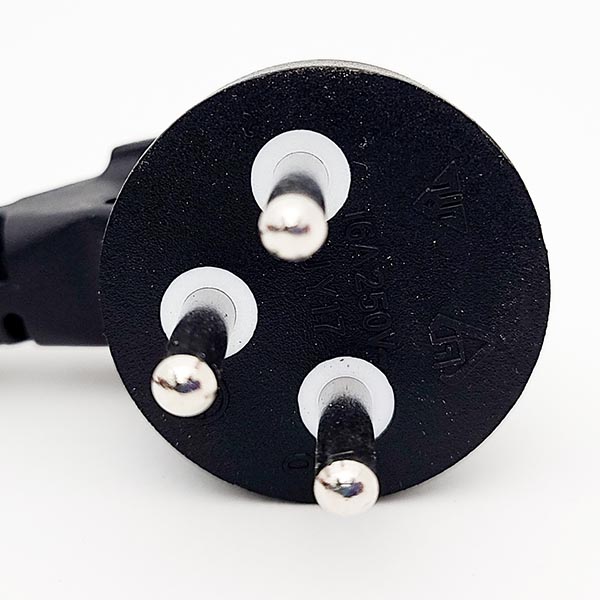
- European
- UK British
- US
How to add articles to Questions and Answers for Elev8 Distribution and procedures
Adding an article
- Open Elev8glass.com/admin
- Enter your email and password. You will have this, if not ask admin for it.
- Add a new KNOWLDEGE BASE article
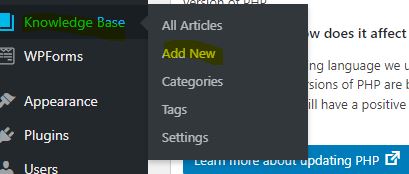
- Add the title
- Make sure it is what one might ask. For instance “how to fix a ssv” might be How to fix a Silver Surfer Vaporizer SSV
- Add the description and any image that will be helpful. You can use the snipping tool for thishttps://elev8glass.com/dwkb/how-to-use-the-snipping-tool/
- To add an image at your cursor, you will click on add media
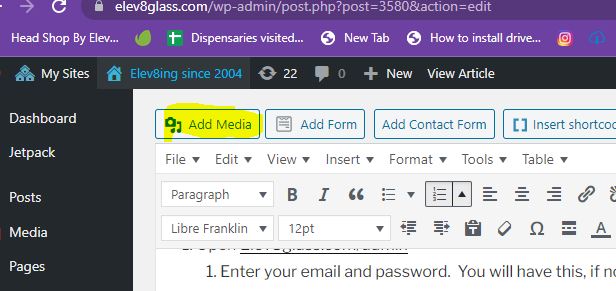
- Click on Upload Files
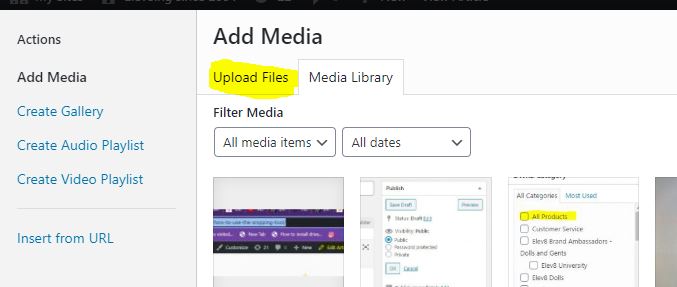
- then click on select files button in center of screen
- add the files from your computer
- click insert into post
- To add an image at your cursor, you will click on add media
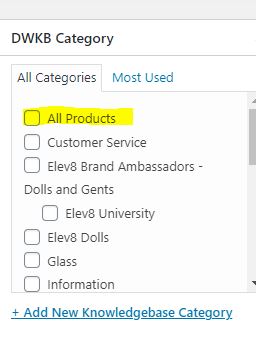
- Check the proper category. The highlight is only to show a category. If you have any questions one what category to pick, ask admin
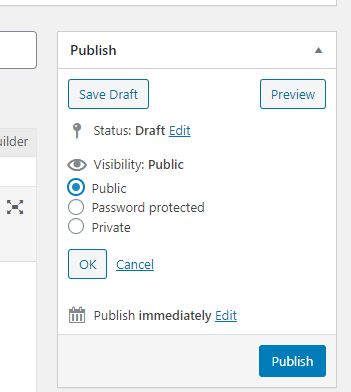
- Pick the visibility
- If this is an inhouse document you must pick password protected and add elev8glass as the password.
- Here is the trick, this can not be found in a search now if not logged in, and not seen it before. SO ya, our solution is to now make another article with the same name. For the description, you will use the URL to the password-protected article you are making now. This will allow a user to find this. If it is an article that is to be only connected to a procedure you do not need to make a linked public article. Only for an article that is private, that might be looked for in the Q and A by our in-house staff. Any questions, come ask Steve.
- Click publish and the article is good to go.
- If this is an inhouse document you must pick password protected and add elev8glass as the password.
Adding an to an existing articel
Click on the knowledge base button, then type in the article you are looking for in the search articles area. Click on the article and edit as above.
TIP
If you are already logged in, you can also find the article on the front end and click edit article to edit the article you want.