
This is a new product of our company and we can only move so fast. Stay tuned as we grow and introduce more scents all the time for our Simply-Soluble line
is a health stone healthy?
Not if you eat it. They are made from ceramic, just like our flavor discs.
Will there be any more elev8 terp slurper style bangers to come in the future?
Not at this time. We are very happy with the ease of use and ease of maintenance of our terp typhoon design.
Why is butter color by Elev8 Premier able to be under more heat?
Butter color can be worked hard and fast because of the clear it is encased in.
Where is my serial number on my vaporizer?
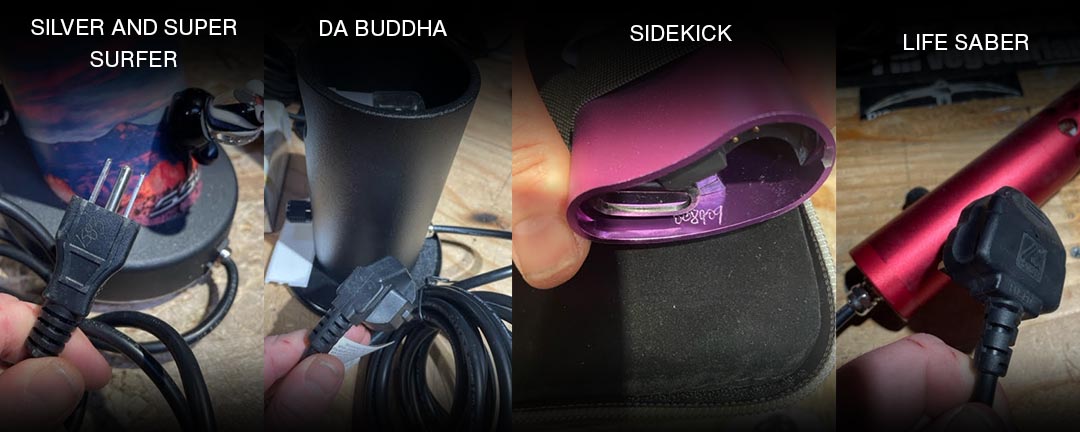
What Prec produces the most difusion
What part of butter color is from china?
In reality who knows!!
Our Butter Color starts with the inside base color from China-colored tubing. Then we vac stack it with American color and 13mm of clear. You can see a bunch of glass made with the butter color here.
All our clear is Schott glass from Germany, so butter is from all over the world, BUT MADE IN COLORADO SPRINGS BY ELEV8 PREMIER
Is faceting done while the glass is still hot or is it done when it cooled down?
This is called cold working. and the glass is worked cold
Is there a good method for cleaning tubing?
We feel the best way to ensure great flavor is a new tubing.
If you do need to clean your tubing you can soak it in alcohol. If you put some alcohol (91%) inside and clog both ends, you can let it soak.
How do I prepare a return label for a customer?
- Open ShipStation
- Click the calculator icon on the toolbar at the top of the page.
- Enter the city and postal code.
- Click the “Package” dropdown menu and choose the dimensions for the box.
- Click “Browse Rates”
- Check the rates and select the cheapest option that is compatible with the package.
- Click “Configure Label” at the bottom right of the window.
- Check the box that says “Create a Return Label”
- Enter the customer’s shipping address, this will go into the return address section on the return label.
- Verify that ShipStation is showing you the shipping rate before creating the label, if it isn’t showing a shipping rate then some information is missing.
- Below the rate, “Email label” should be selected, and if the “Email to” text entry field has the customer’s email address then remove it and replace it with your own email address. We do not want to email labels to customers through ShipStation because we cannot verify that the email has been sent properly. We should email labels to customers through the customercare@
elev8distribution.com account.
We also cannot download the label directly through this window as it seems that this function is broken, so make sure that you are emailing the label to yourself instead.
- Click the blue button that says “Authorize & Email”, if everything was done correctly you should receive an email from tracking@shipstation.com that contains the PDF label. You can now email the label to the customer.